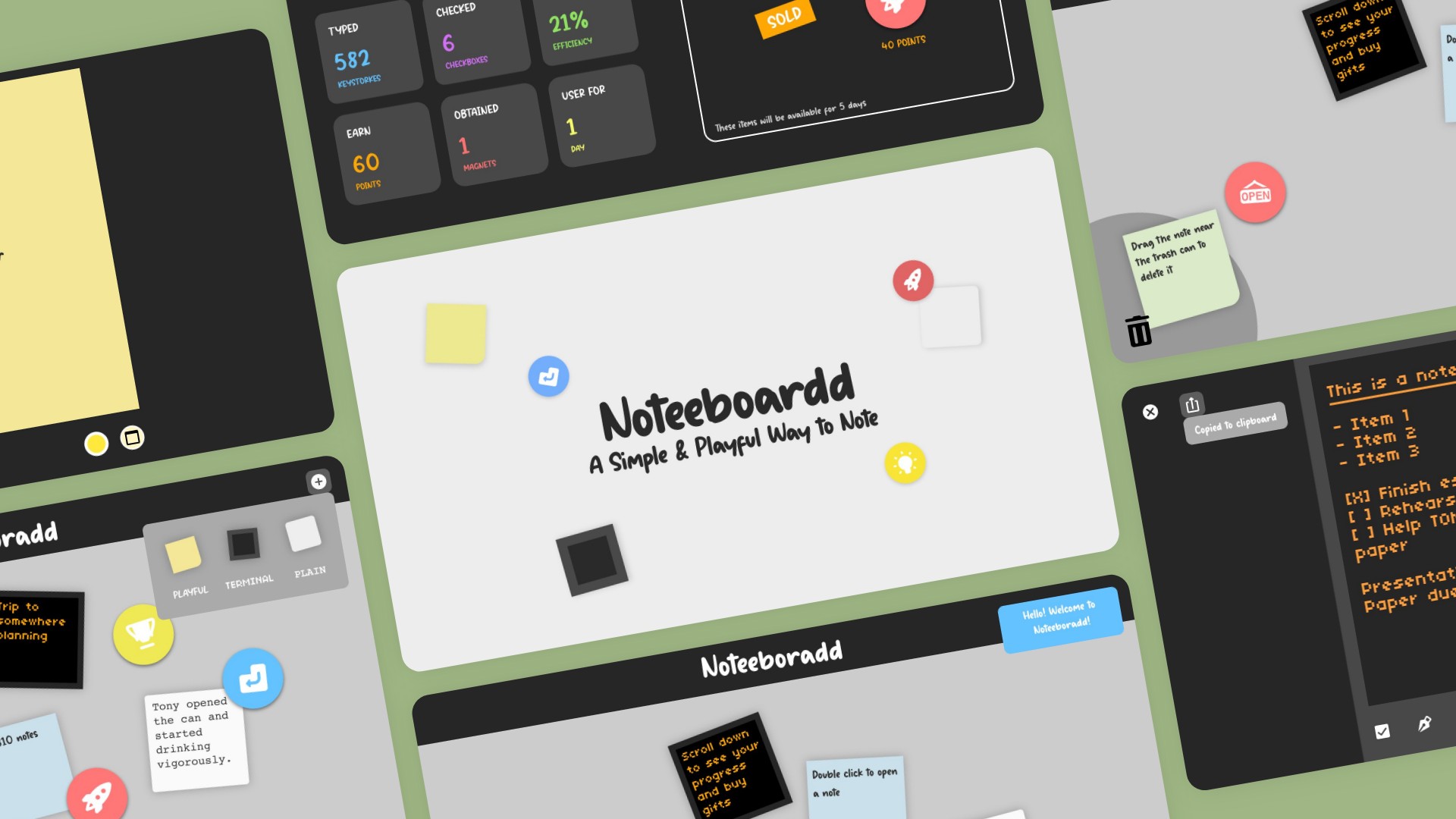
Noteeboardd
A simple & playerful way to note
Do you think typing should be fun and playful? Do you want to try something new and spice up your typing experience? Well, you are in luck!
Noteeboardd is a prototype showcasing how a minimal and playful note-taking application can encourage users to type and sustain user engagement for a longer period.
Problems
1. Typing on computers is not designed to be fun.
2. Common note-taking applications do not encourage users to type.
3. Most used text editors offer complex controls and many features, which may not be easy to learn at first.
So how do we design a simple application to make typing and note-taking fun and playful?
Research
Text editors are designed to be work-oriented without encouraging users to type.
Ex: Google Doc, MS Word, Apple Pages.
Note-taking apps can be minimal but not playful.
Ex: MS OneNote, Apple Notes.
Extra-minimal text editors are out there with uncompromising zero-distraction experience. But they also promise boring aesthetics and interactions.
Ex:uFocus,WriteMonkey.
Playerful text editors exist. But it decreases the amount of work users can achieve in a single session.
Ex:Textreme,Textreme 2.
Then we have an intriguing text editor simulates the look and feel of a typewriter with its interface and sound effects. But it fails to keep users engaged.
Ex:Winston.
User Research
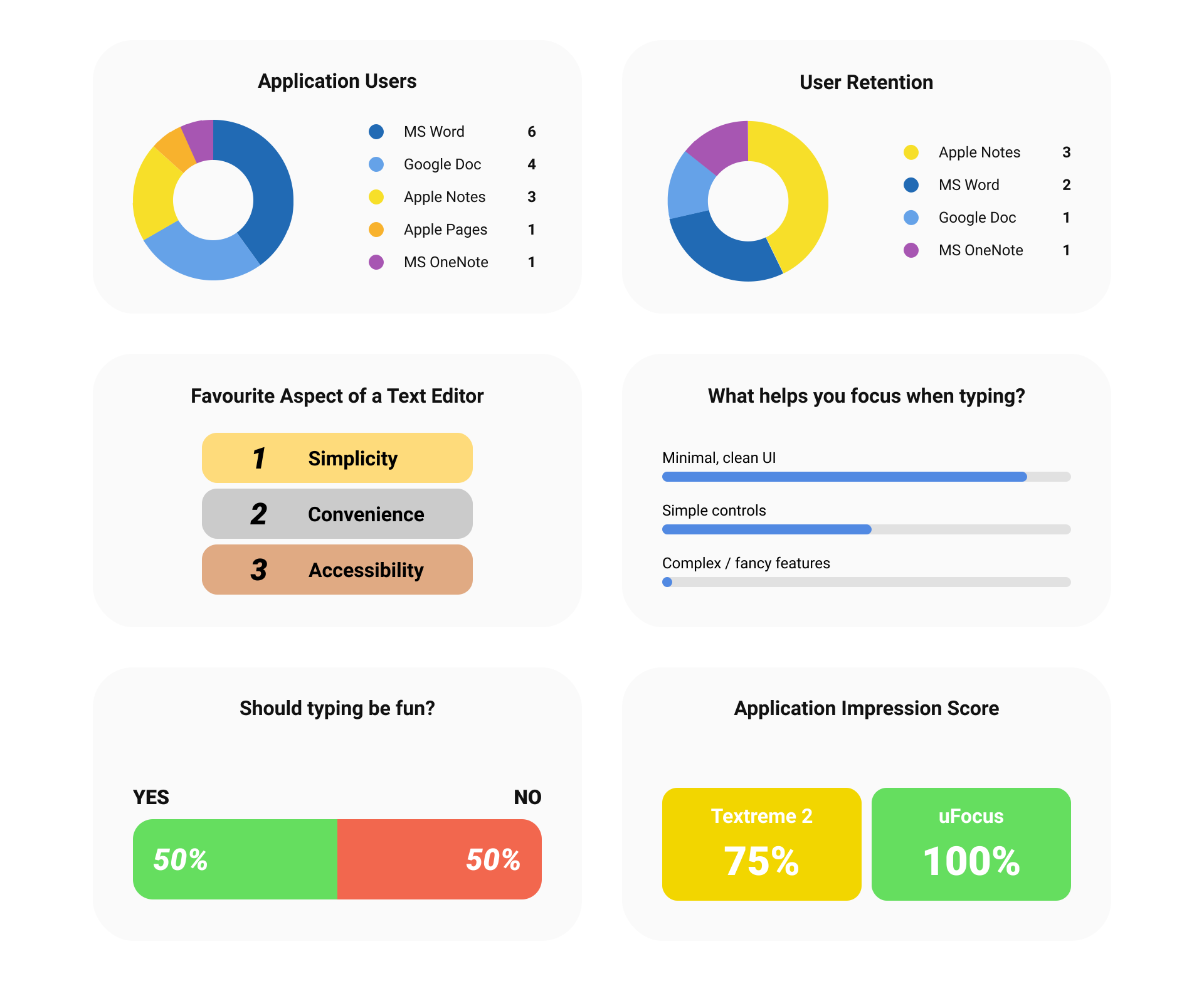
I conducted 8 interviews. All interviewees were university students with similar age.
Here were my interview questions:
- Do you use Google Docs, MS Word, or Apple Pages? Do you use Apple Notes or MS OneNote? For what usually?
- Do you always turn to those apps when you have something to write down? This includes thoughts, simple notes, lists, reminders...
- For those apps you use, what aspect of it do you like the most? Simplicity, functionality, interface, or else? And why?
- Is there any text editor you use to help you focus on writing?
- Do you think typing should be fun and playful? What modifications would you propose?
- What helps you stay focus when you type?
- What are your thoughts about this application if you are using it for typing? (Textreme 2) What do you think about this then? (uFocus)
All the data were summarized and visualized using graphs, card sorting and empthy maps (See below).
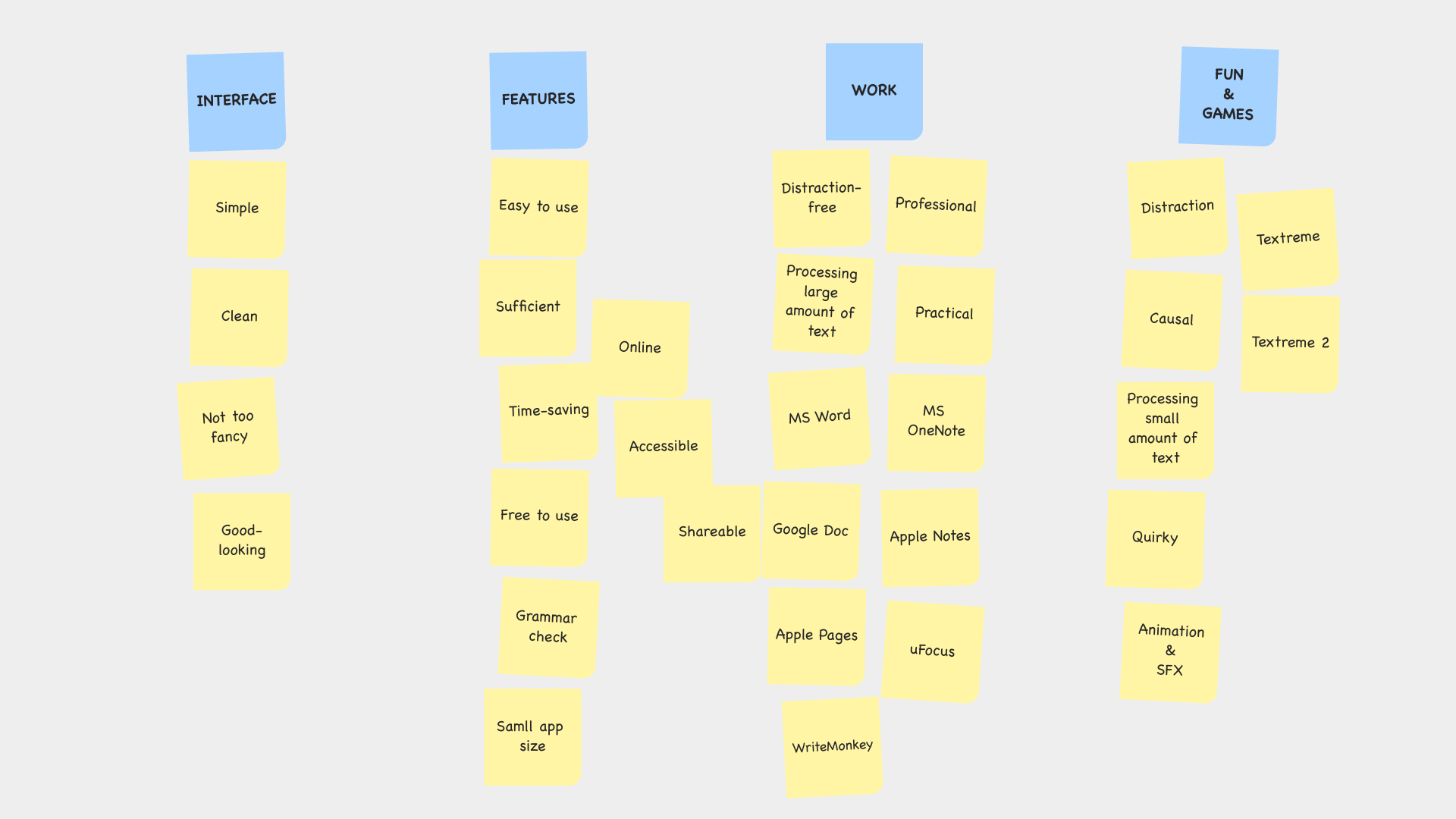
Card Sorting
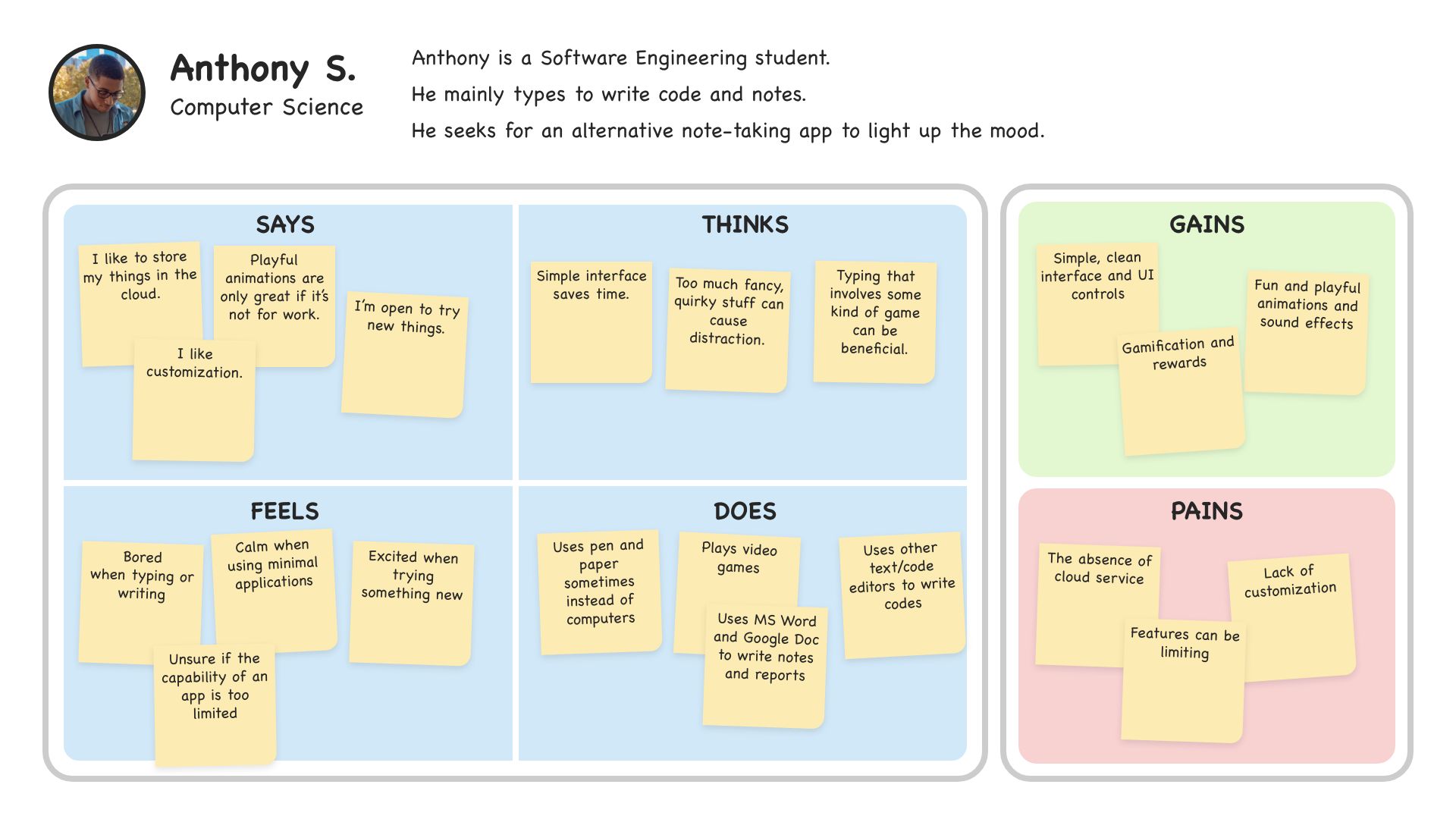
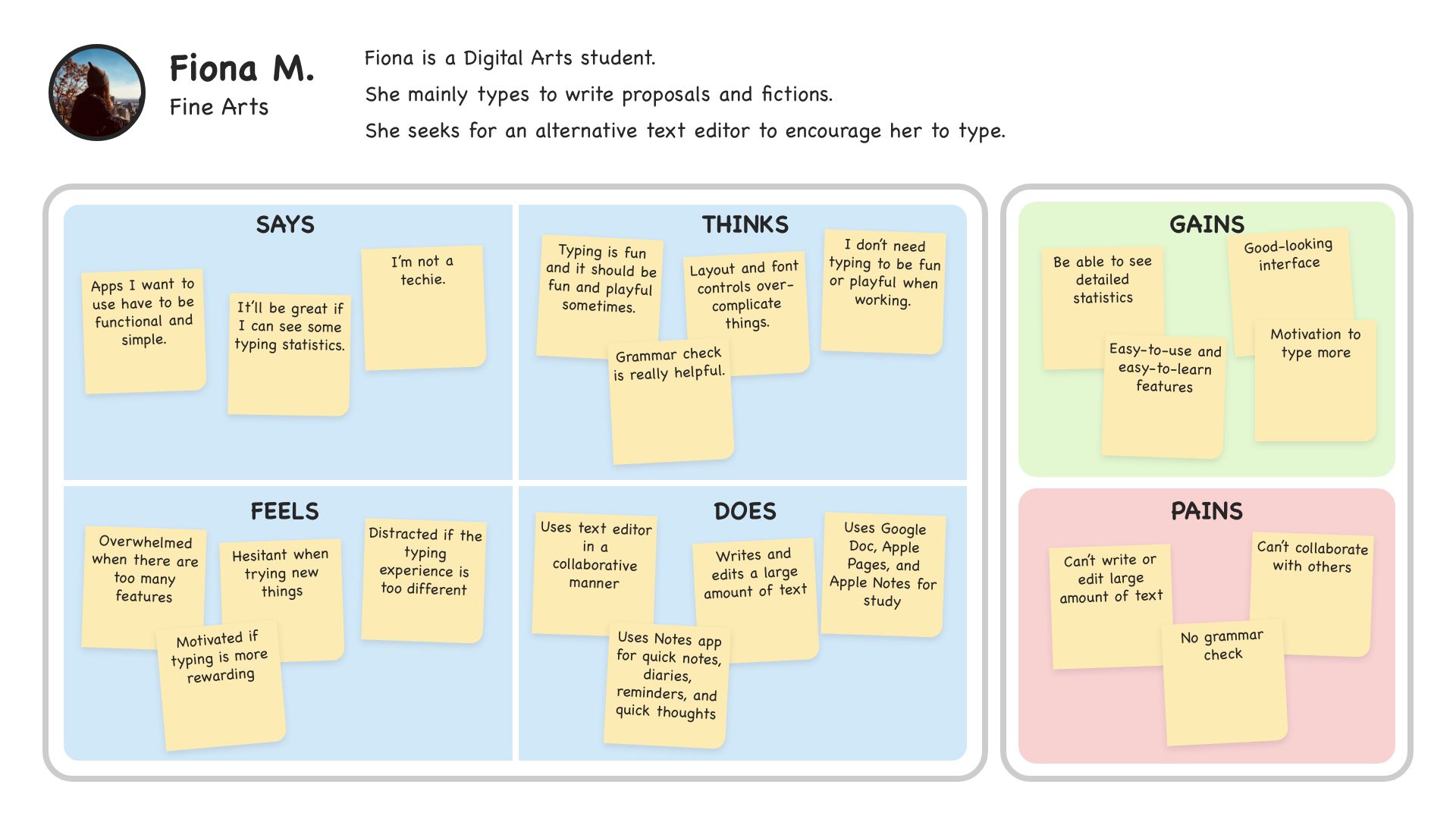
Empathy Maps
Click buttons to see more pictures.
Design Principles
Playful Experience
Creating an appealing user interface and making user interaction causal.
Encouragement
Gamifying the typing experience to encourage users to type and keeping them engaged.
Simplicity
Deploying only essential features for the text-editing and note-taking experience.
Convenience / Constraint
Reducing the number of features to the bare minimum so that users can spend less time learning the app and more time on typing.
Making It Playful
Noteeboardd resembles a real-life whiteboard with sticky notes. Drop shadows were added behind objects to create depth.
Note Themes
Users can create a note of three distinct looks from the top right corner. They include Playful, Terminal, and Plain. Each of the themes has its own look, function, and even sound effects!
For example, the Plain note can help users focus, and the Playful note can be used casually. Once users have typed, they can underline or highlight text with the colour they specify. They also have the option to change the background and text colours.
Decorative Magnets
Users can obtain magnets by reaching milestones or purchasing them with points in the gift shop.
Magnets can be placed anywhere in the same space with notes. And like notes, users can move them around freely.
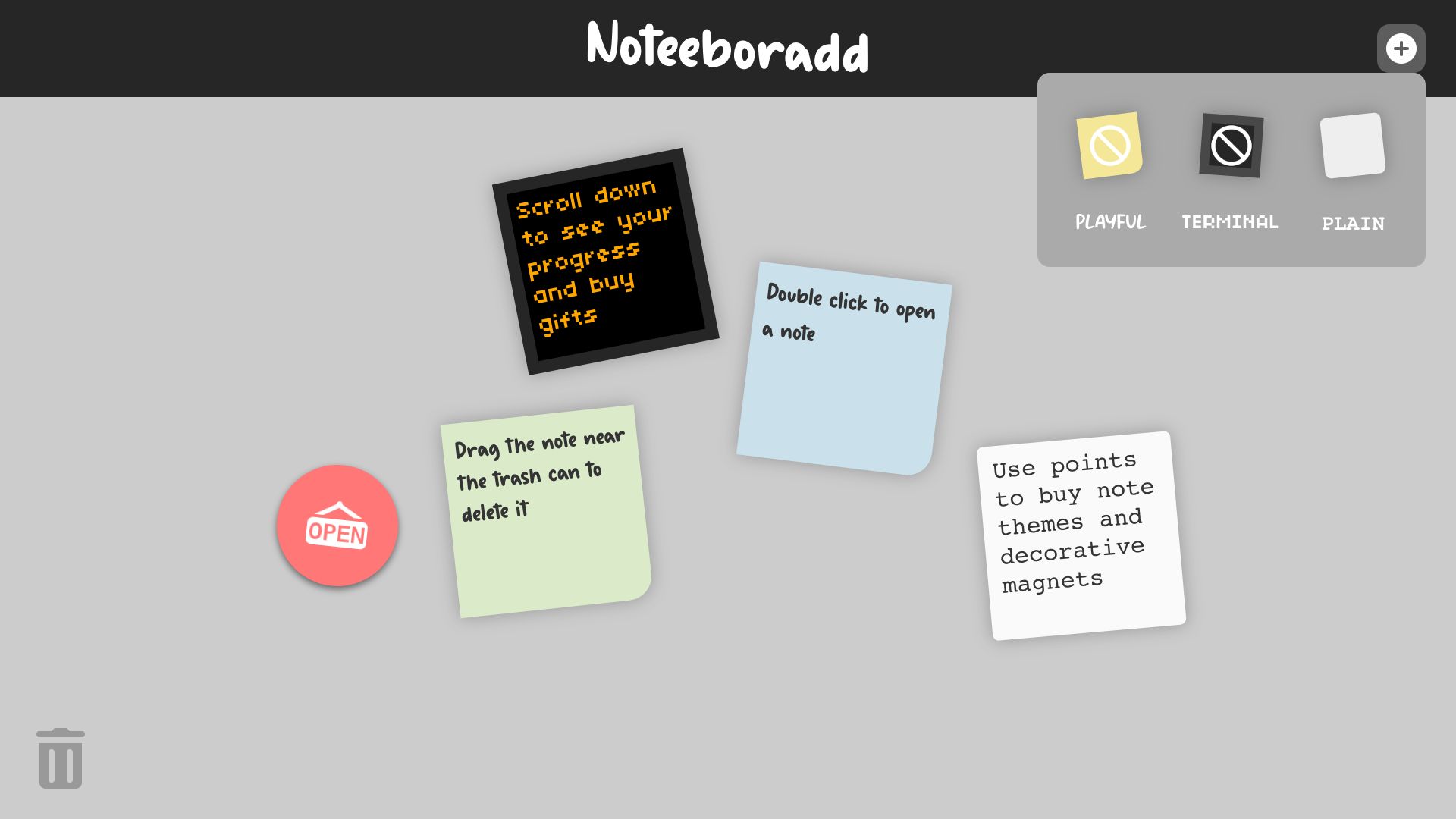
Creating a note in Noteeboardd
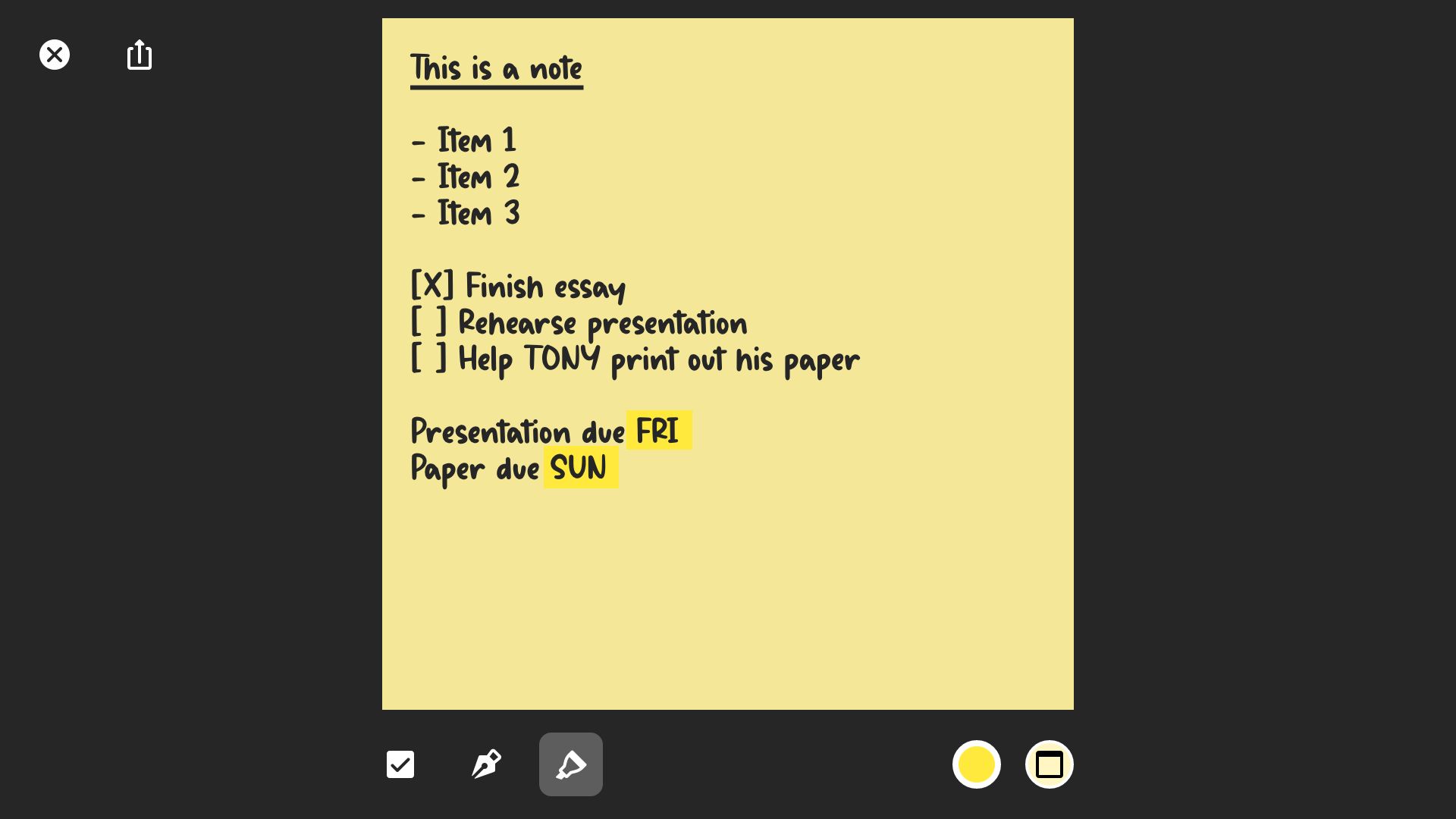
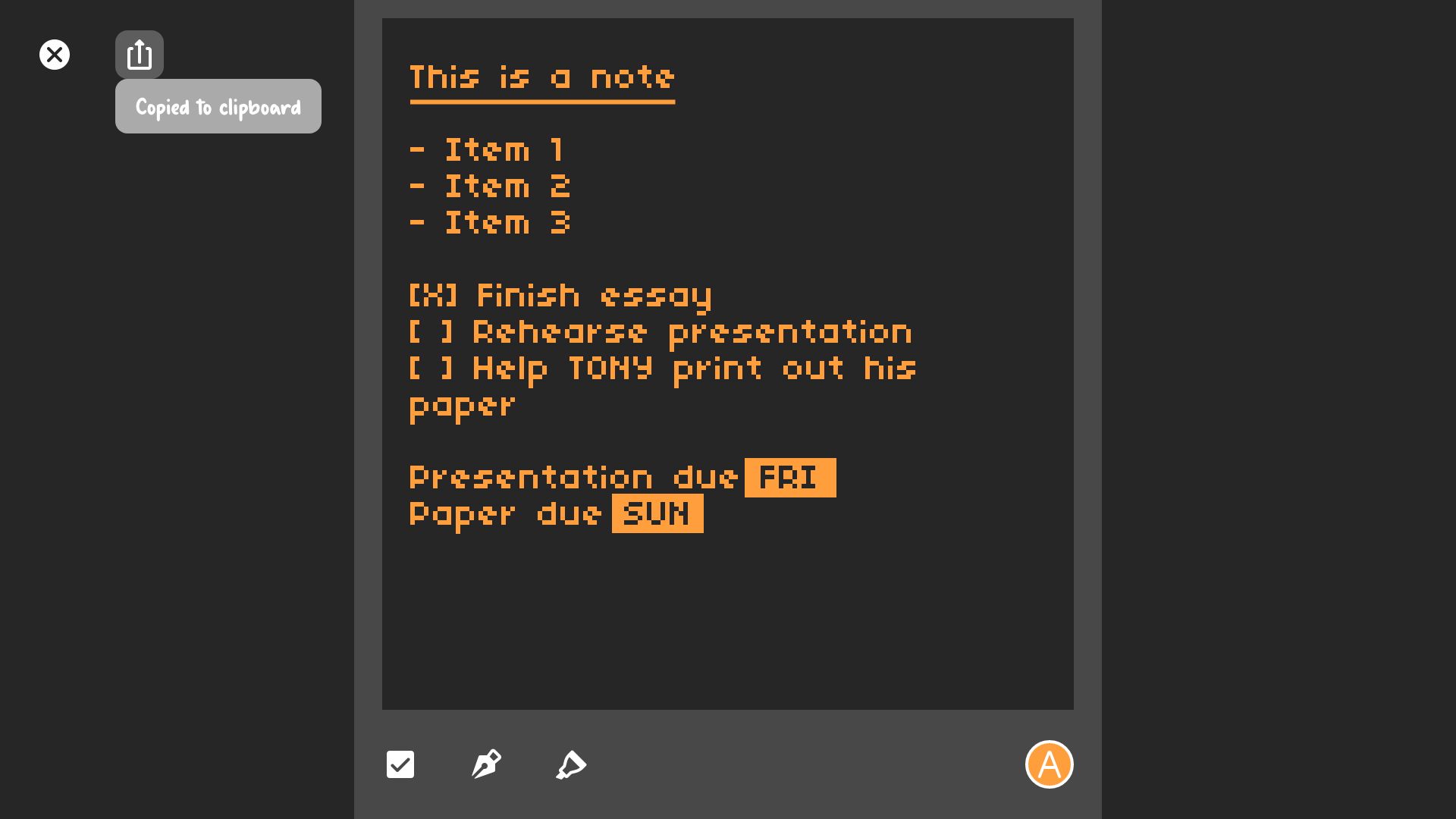
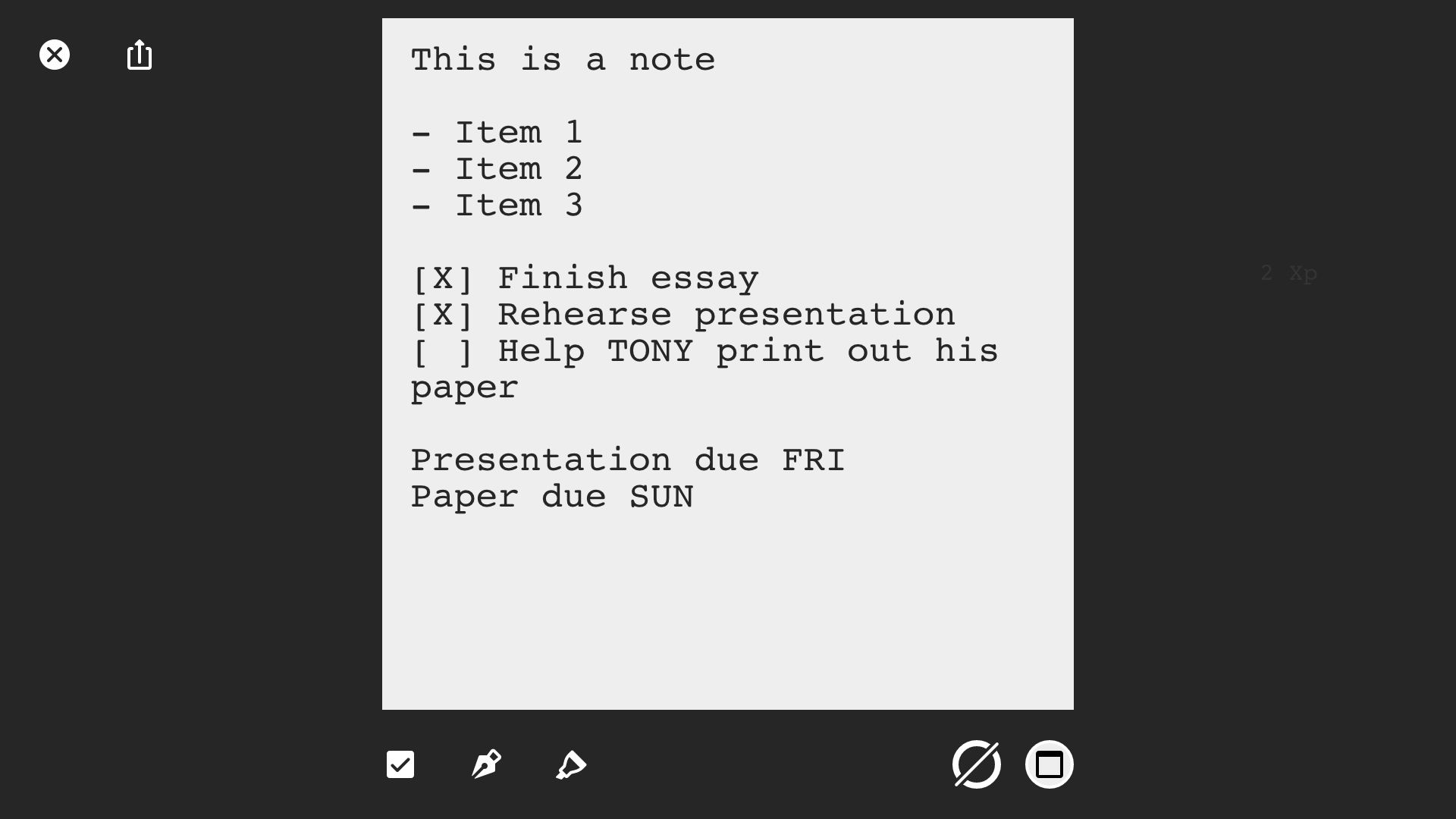
Note Themes
Each note theme provides different aesthetics and experience.
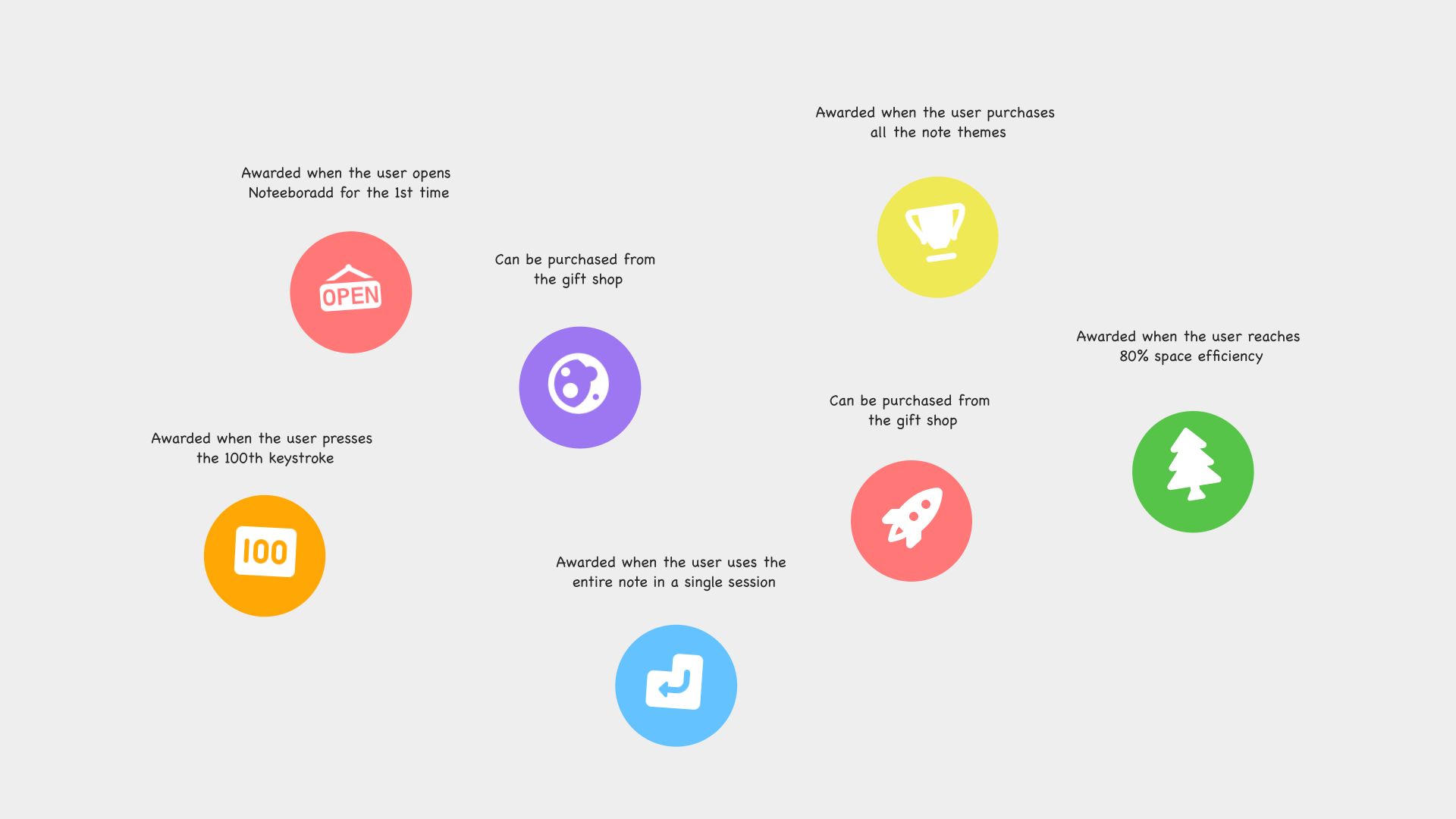
Decorative Magnets
Keeping User Engaged
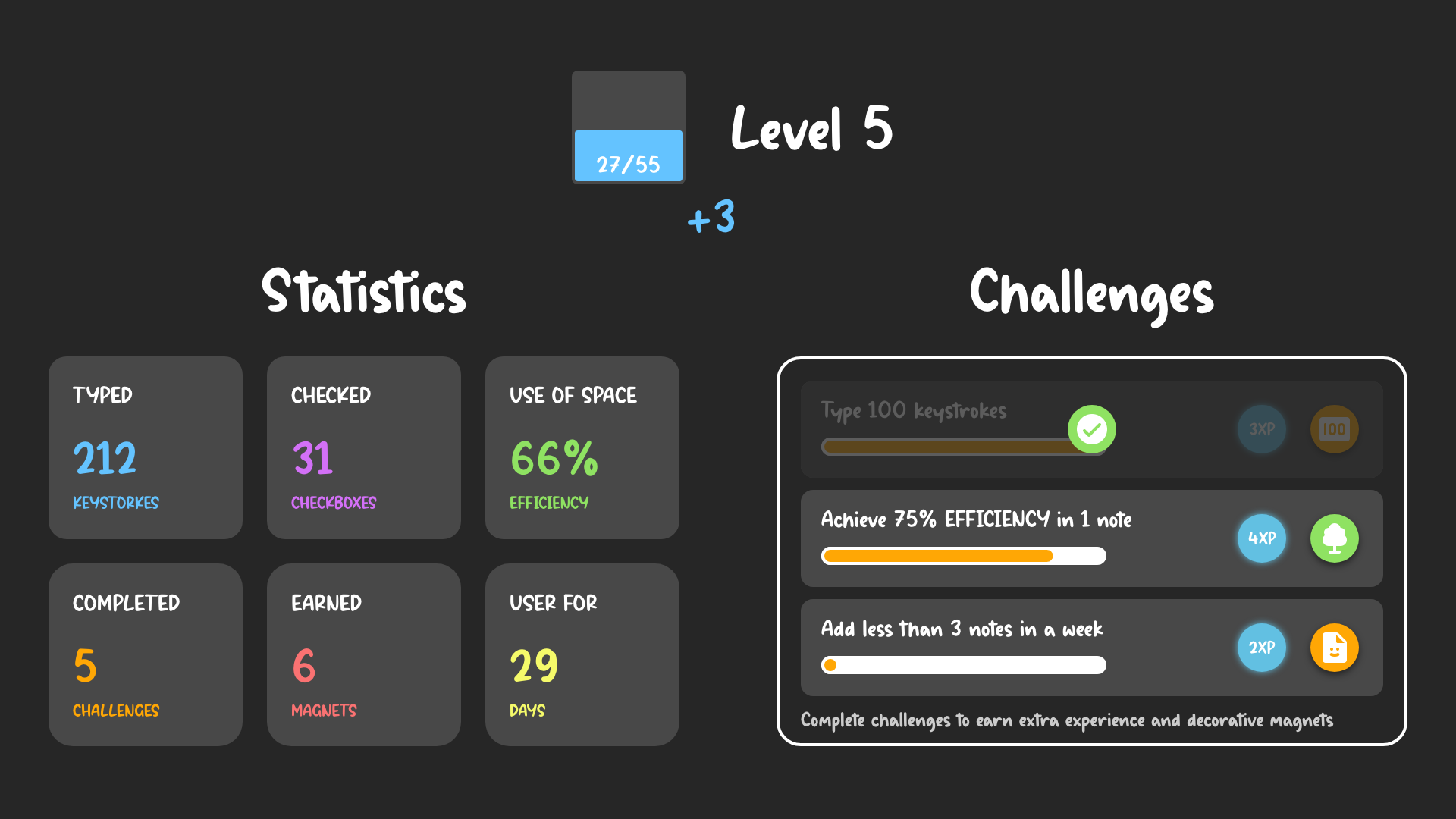
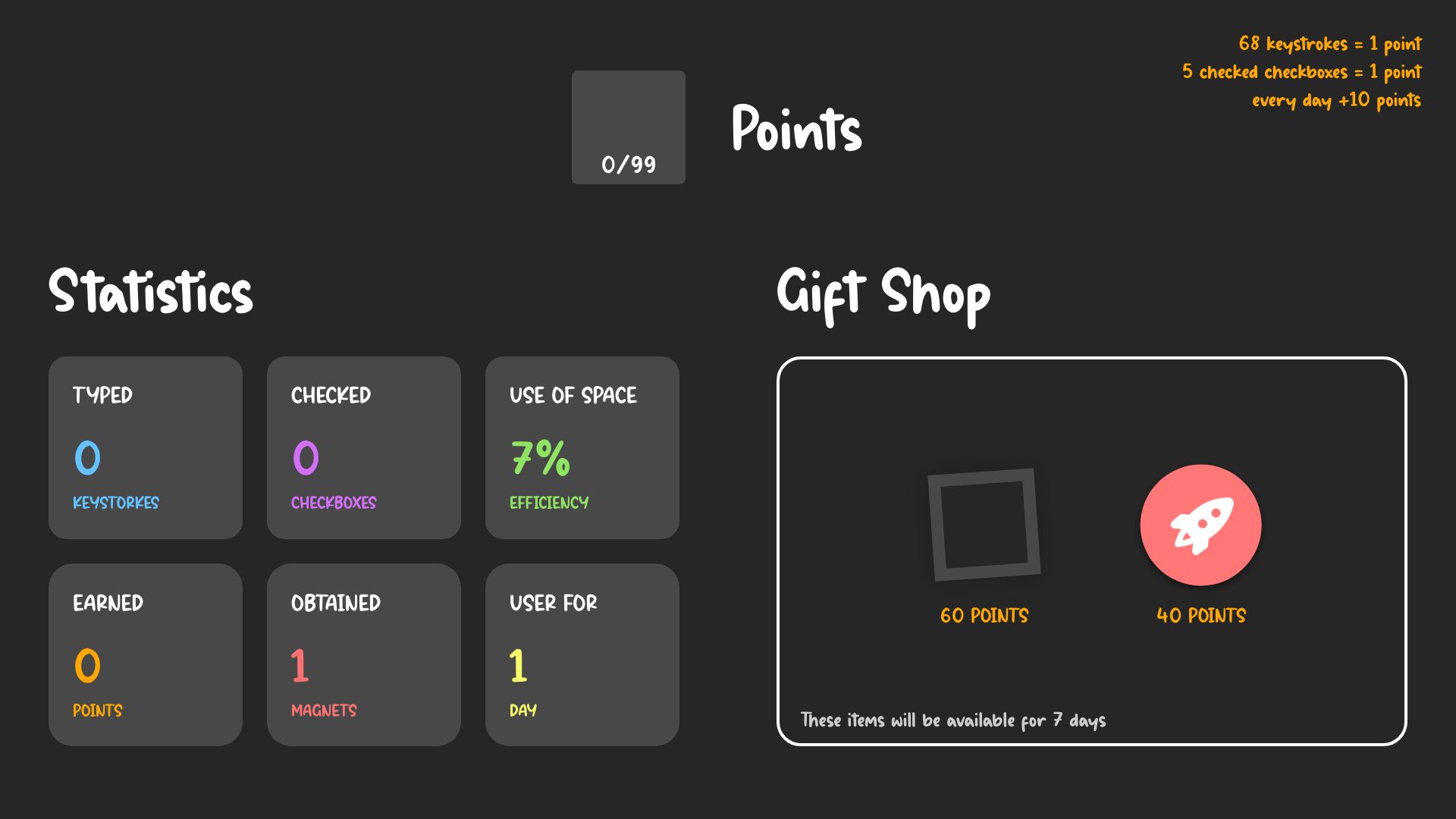
The final gamification features include a point system, user statistics, and the gift shop selling note themes and decorative magnets.
Statistics
Noteeboardd keeps track of some users' activities, such as keystrokes, checked checkboxes, and how long since they have been users. It also calculates how efficient users use their notes based on empty space.
Points & Gift Shop
Users can earn points by typing, checking checkboxes, or using Noteeboard every day. Completing milestones can also be rewarding.
One example for the milestone can be reaching 100th keystroke.
These points will be stored in the point bank. Users can use their points to buy note themes and magnets from the gift shop.
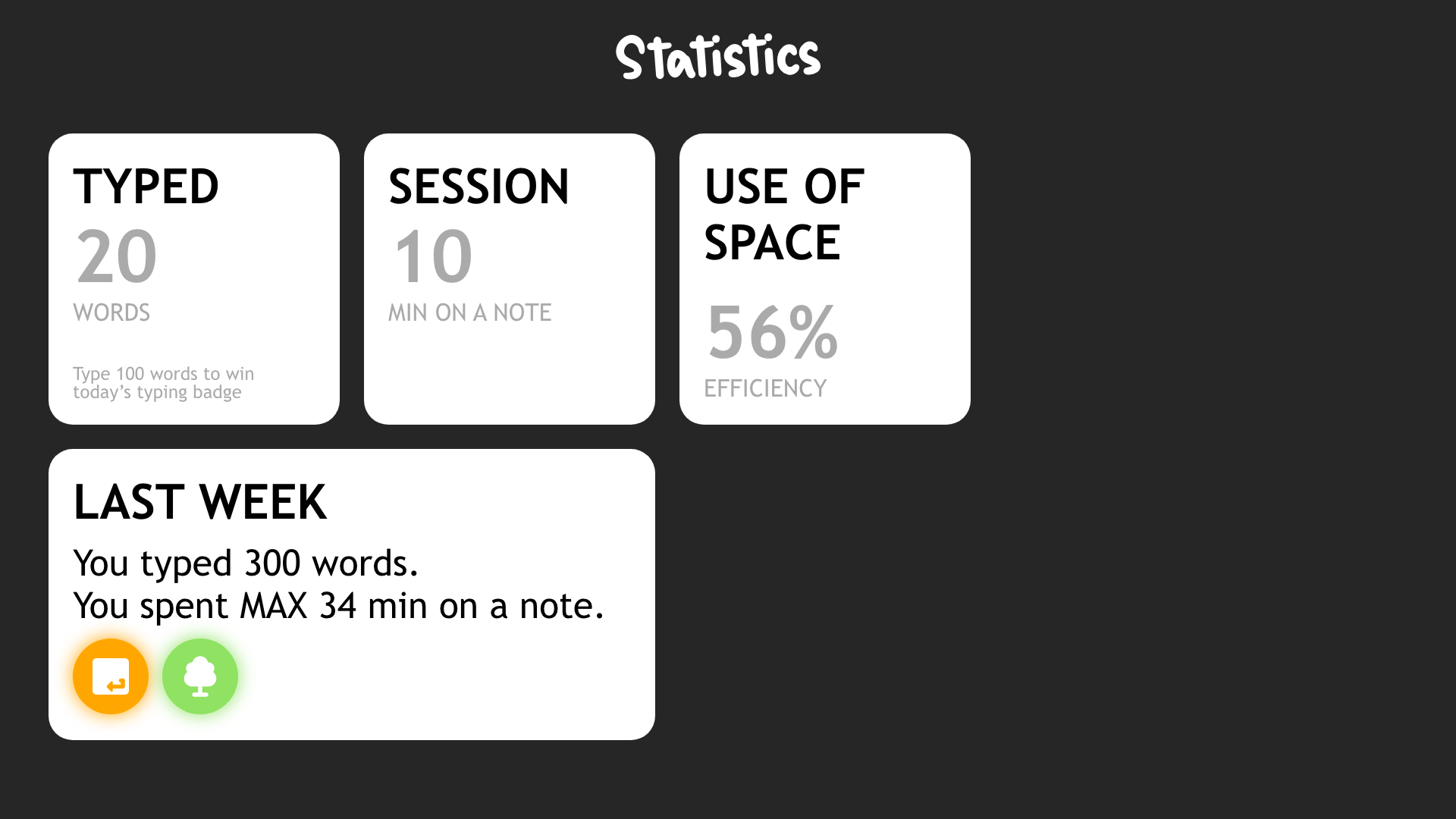
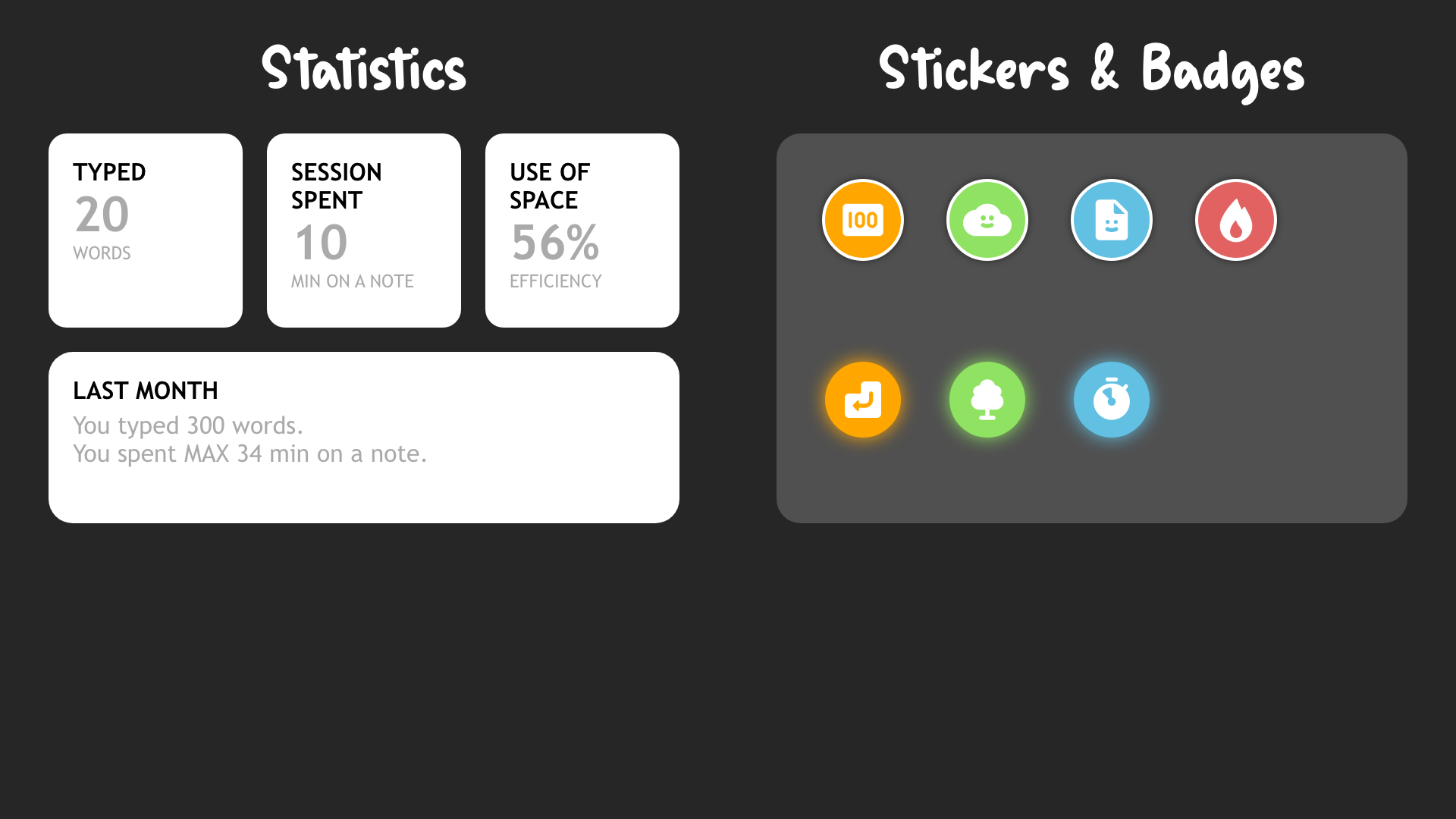
Gamification Iterations
Each image demonstrates the gamification features throughout the development.
Featuring Simplicity
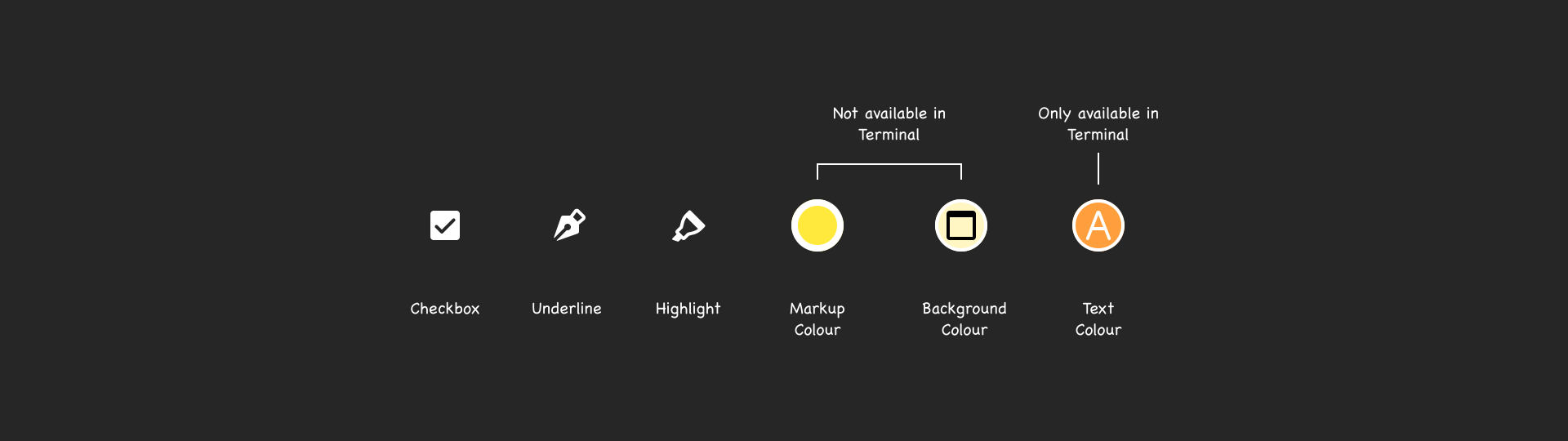
Besides typing letters, numbers, and common special characters, users are given a few more options to markup and customize their notes.
There are no submenus, and users are not required to perform additional actions. However, it still allows some degrees of user customization. For example, users can choose the colours of the underline, the highlighter, or the background within a note.
Markup Tools & Customization
Limiting is Allowing
Due to time constrain and coding complication, I decided to embrace some unwanted limitations. In term, they became more beneficial.
Match the real world
Inspired by one of my interviewees, I imagine typing in Noteeboardd is like writing on a sticky note in real-life. What is written is written.
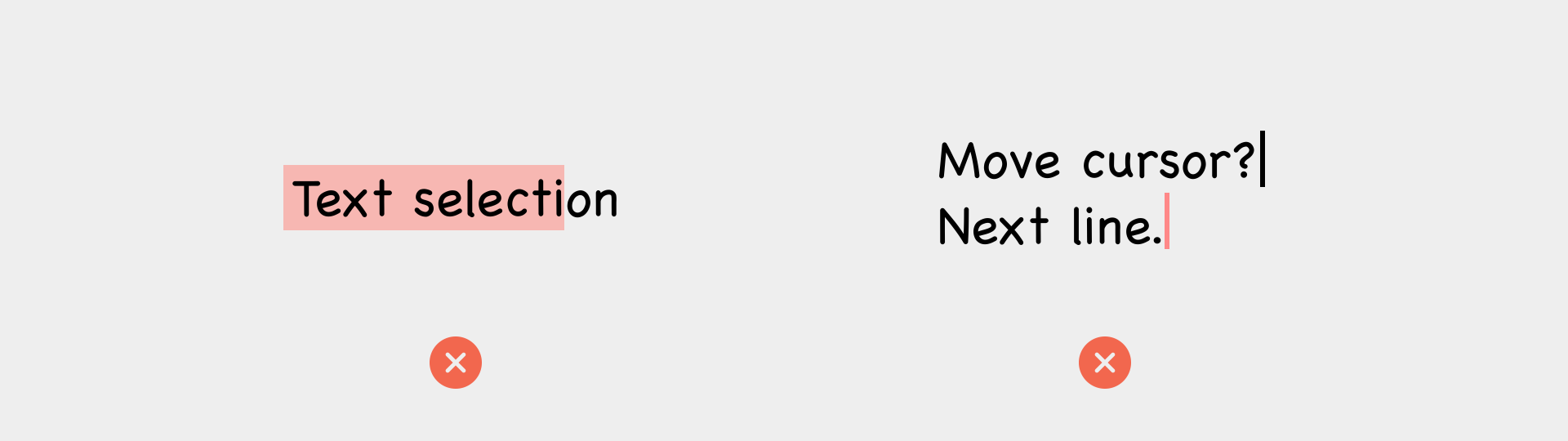
That is why Noteeboardd does not have continuous deletion and text selection. Deleting text in Noteeboard is made unnecessary. So like in real-life, notes in Noteeboard are disposable. Once its purpose is fulfiled, it can be tossed into the trash can.
Force of habit
Working on computers gives you the power of non-destructive creation. Everything can be reverted back to before you make a mistake. But what if Noteeboard encourages users to make mistakes because it is okay?
Instead of perfecting or fixing mistakes, users can foucs on unlashing their thoughts and writing without hesitation.
Constrain Examples
At Last...
I asked 3 interviewees to test my prototypes and received positive feedback. The final result concludes Noteeboardd is fun and playful. It encourages users to type and allows quick and easy note-taking.
Unfortunately, Noteeboardd was built with p5.js which is not a proper framework for a fully-fledged web application. Nevertheless, it provides users with a playful alternative to text-editing and note-taking and serves as a foundation for my gamification approach in other app designs.
Noteeboardd was made with p5.js. To test the prototype, see the button at the start of the page.